Best Apps for Festival maps, set times, and group coordination
The best festival app is usually the festival's official app for maps and set times, then a second app for friends, tickets, or broader event discovery. Use the official app as the source of truth, and use coordination tools only after everyone in your group agrees on the same system.
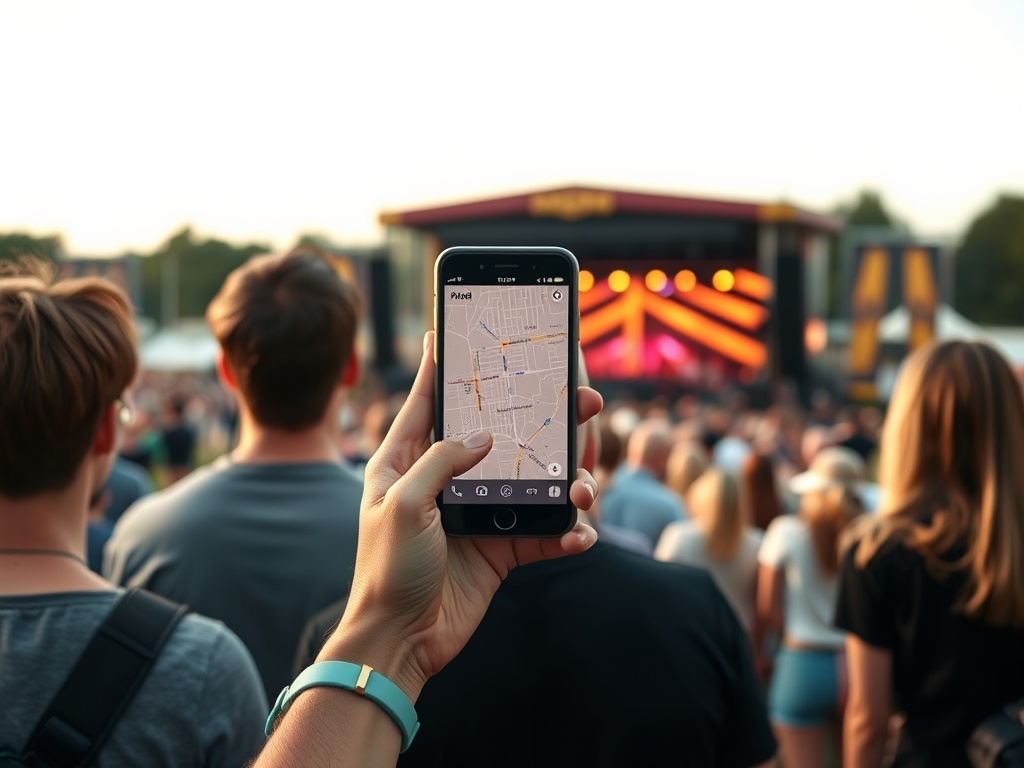
Crowd-Day Setup: Download the official festival app first, screenshot key maps and schedules, then add one group tool such as Radiate, a shared calendar, messaging app, or ticketing app. Redundancy matters because battery life, cell service, and crowd noise can break even good plans.
Why festival apps fail in real life
A festival app can look polished at home and become frustrating at the gate. Large crowds strain networks. Stages move. Weather delays sets. Phones overheat. Friends split for food, merch, restrooms, or different artists. A useful app must survive that messy reality.
Official festival apps are still the best starting point because they connect to current maps, artist schedules, alerts, and event rules. The Coachella Official app listing, for example, emphasizes lineup exploration and planning. That kind of venue-specific information is hard for general apps to replace.
The app mix that works best
| Need | Best app type | Why it helps | Backup move |
|---|---|---|---|
| Map and set times | Official festival app | Most current event data | Screenshot maps and schedules |
| Friend discovery | Radiate or event community app | Helps meet or message attendees | Agree on fixed meet-up points |
| EDM event discovery | EDMtrain | Useful for shows and festivals | Save ticket links separately |
| Ticket discovery | DICE or ticketing app | Good for event browsing and entry | Download wallet tickets |
| Group coordination | Shared chat or calendar | Everyone already understands it | Paper meet-up plan |
Official festival apps: first download, not optional
The official festival app should be treated like the event handbook. It may include stage maps, set times, artist profiles, push alerts, food areas, water stations, bag policies, accessibility information, emergency notices, and schedule updates. If the festival changes a set time, a general calendar app may not know.
The downside is that some official apps become useful only close to the event. They may update late, drain battery, require data, or send too many notifications. Download early, but check again in the final week. Then screenshot anything you cannot afford to lose: the map, your must-see sets, meeting points, transit notes, and emergency information.
If your group cares about documentation, the file-sharing lessons in RAW vs JPEG vs HEIF apply here too: the best format or app is the one your friends can actually open when tired.
Radiate: useful for social discovery, not core logistics
Radiate is built around events, festivals, and people. It can help festivalgoers find others attending the same events, join conversations, ask questions, and build social momentum before arriving.
That is useful if you are going solo, joining a rave community, looking for a group, or trying to understand the vibe of a particular event. It is less useful as the only planning tool for a close friend group because social feeds can get noisy. A practical approach is to use Radiate for discovery and a smaller private chat for decisions.
Be careful with meetups, ticket exchanges, and personal details. Public event communities can be fun, but they still require normal safety judgment. Meet in public areas, avoid sharing sensitive information, and keep your actual group plan separate from open chatter.
EDMtrain: strongest for electronic music discovery
EDMtrain is helpful when your festival life overlaps with electronic music, club shows, and regional dance events. It is less of a universal festival map tool and more of a discovery layer for EDM concerts, raves, and festivals.
Use it before the festival season to track artists, cities, and future dates. It can help you decide which event deserves travel money and which local show might satisfy the same urge. During a festival weekend, though, rely on the official festival app for on-site details.
This distinction matters. A discovery app helps you choose where to go. An official app helps you move around once you are there. Mixing those roles can create confusion.
DICE and ticketing apps: great for entry, limited for maps
DICE is useful for discovering live shows, buying tickets, and tracking events in cities where it has strong coverage. Other ticketing apps can serve a similar role depending on the festival and region.
For group coordination, ticketing apps solve one important problem: entry access. Make sure tickets are downloaded, wallets are ready, phone brightness is sufficient, and everyone knows whether tickets can be transferred. Do not wait until the gate to install, log in, verify email, or reset passwords.
Ticketing apps should not replace map planning. Once inside the grounds, you still need set times, stage locations, water points, exits, and meeting spots.
The simplest group system
Use one official source and one group channel. That is it. Too many apps create conflicting notifications and half-updated plans. Your group channel can be WhatsApp, iMessage, Signal, Telegram, Discord, or a shared notes app. The best choice is the one everyone already checks.
Before arrival, agree on three things: a default meet-up spot, a time to regroup if phones fail, and a rule for splitting up. For example: "If messages stop sending, meet by the east water station ten minutes after the headliner ends." That sentence may save an hour of wandering.
People planning fandom-heavy weekends may also find How Internet Fandom Changes the Way Media Is Launched and Discussed useful because fan communities often shape which sets, panels, and surprise moments become must-see events.
Red flags before trusting an app
Be cautious if an app has not updated for the current festival year, requires constant location access without a clear need, hides core features behind unclear fees, lacks offline access, or has no obvious connection to the event organizer. Also be careful with apps that encourage risky meetups or unofficial ticket trades without buyer protection.
Battery drain is a real limitation. Turn on low-power mode, reduce brightness, carry a battery pack, and set a few lock-screen screenshots for maps and schedules. The less you open your phone, the more you actually experience the festival.
The best practical stack
For most people, the best stack is simple: official festival app for truth, phone wallet for tickets, group chat for friends, screenshots for backup, and one discovery app if it solves a specific need. Add Radiate for social discovery, EDMtrain for dance music discovery, and DICE or another ticketing app where it is the event's actual sales channel.
A festival plan should be flexible enough to survive noise, crowds, low signal, and changing moods. Apps help, but the real tool is a shared plan everyone understands before the gates open.