Best Free Museum Apps and Audio Tools for Self-Guided Visits
The best free museum apps and audio tools are the ones that match how you visit: broad discovery apps for planning, museum-specific guides for deeper context, and simple audio tools for accessibility, pacing, and focus. Do not pick only by app store ratings; pick by the museum, collection, language needs, offline access, and how much you want to look at your phone.
Visit Planner: Start with the museum's own website or official app, then add a broad culture app such as Bloomberg Connects, Smartify, or Google Arts & Culture if you want extra context before or after the visit.
What a good museum app should do
A museum app should make the visit calmer, not busier. The best tools answer simple questions: What should I see first? Where am I? What am I looking at? How long will this take? Is there audio? Is there accessible content? Can I save favorites for later?
The American Alliance of Museums frames visitor experience as central to how museums serve the public through its audience engagement resources. That is a useful standard for judging apps. A tool is not good just because it has many features. It is good if it improves the encounter with the art, object, building, or story.
A quick comparison of strong free options
| Tool | Best use | Strength | Limitation |
|---|---|---|---|
| Museum's official app or web guide | On-site visit | Most accurate for that venue | May cover only one institution |
| Bloomberg Connects | Broad cultural audio guides | Free guides across many cultural spaces | Coverage depends on partner institutions |
| Smartify | Art scanning and audio tours | Useful for artworks and partner museums | Scanning may vary by collection |
| Google Arts & Culture | Pre-visit and at-home exploration | Huge cultural discovery library | Not always a live wayfinding tool |
| Phone accessibility tools | Captions, magnification, notes | Already on your device | Requires setup before arrival |
Start with the museum's own guide
The most reliable tool is often the one the museum itself recommends. Official guides know the current exhibition layout, ticket rules, gallery closures, audio stops, accessibility resources, and visitor policies. Some museums use apps; others use mobile web pages, QR codes, handheld audio devices, or downloadable PDFs.
For example, the Smithsonian American Art Museum explains its audio guide options and encourages visitors to use audio content during the visit or at home. The National Gallery in London also notes that visitors can use Smartify during a visit for additional content. Those details matter because the best tool may be venue-specific rather than universal.
Before visiting, check the museum's accessibility page, app page, and exhibition page. Download anything you need before leaving home if cell service may be weak.
Bloomberg Connects: best broad free guide ecosystem
Bloomberg Connects is one of the strongest free options for cultural visits because it gathers digital guides from many museums, galleries, gardens, and cultural spaces. It is especially useful when you travel across cities or want one app for multiple institutions.
Its strength is expert-curated content. Many guides include audio, video, object highlights, behind-the-scenes context, and exhibition-specific material. For a visitor who wants more than wall labels but less than a formal tour, that middle ground can be ideal.
The limitation is coverage. If your museum is not a partner, the app cannot replace that museum's own resources. It is also not always the right tool for real-time indoor navigation. Think of it as a rich interpretation layer rather than a guaranteed map.
This kind of tool comparison is similar to choosing Best Apps for Festival maps, set times, and group coordination: the best app depends on the event's actual support, not only on general popularity.
Smartify: best for object-focused looking
Smartify is useful for visitors who want to scan or identify artworks, take audio tours, save favorites, and explore partner collections. It works best when the museum supports it well and when the visitor wants to move object by object.
Smartify's advantage is focus. Instead of pushing you through every gallery at one speed, it can help you pause in front of a work and learn more. That is helpful for solo visitors, students, and anyone who gets overwhelmed by large museums.
The limitation is that scanning and collection coverage are not universal. Lighting, crowding, protective glass, object angle, and museum participation can affect usefulness. As with any scanning tool, do not let the phone become the main artwork. Use it briefly, then look up.
Google Arts & Culture: best before and after the visit
Google Arts & Culture is strongest as a discovery and learning tool. It can help you explore artists, movements, places, virtual exhibits, and museum collections before you arrive. It is also useful after a visit when you want to revisit a theme or learn more about a work you saw.
The app or website can support families, students, casual visitors, and travelers who want a broader cultural map. It is less ideal if you need a precise indoor route, timed-entry reminder, or object-by-object audio tied to a specific gallery layout.
Use it to prepare your eye. If you already know three objects, one artist, or one historical period before entering the museum, the visit becomes less passive.
Setup tips that prevent frustration
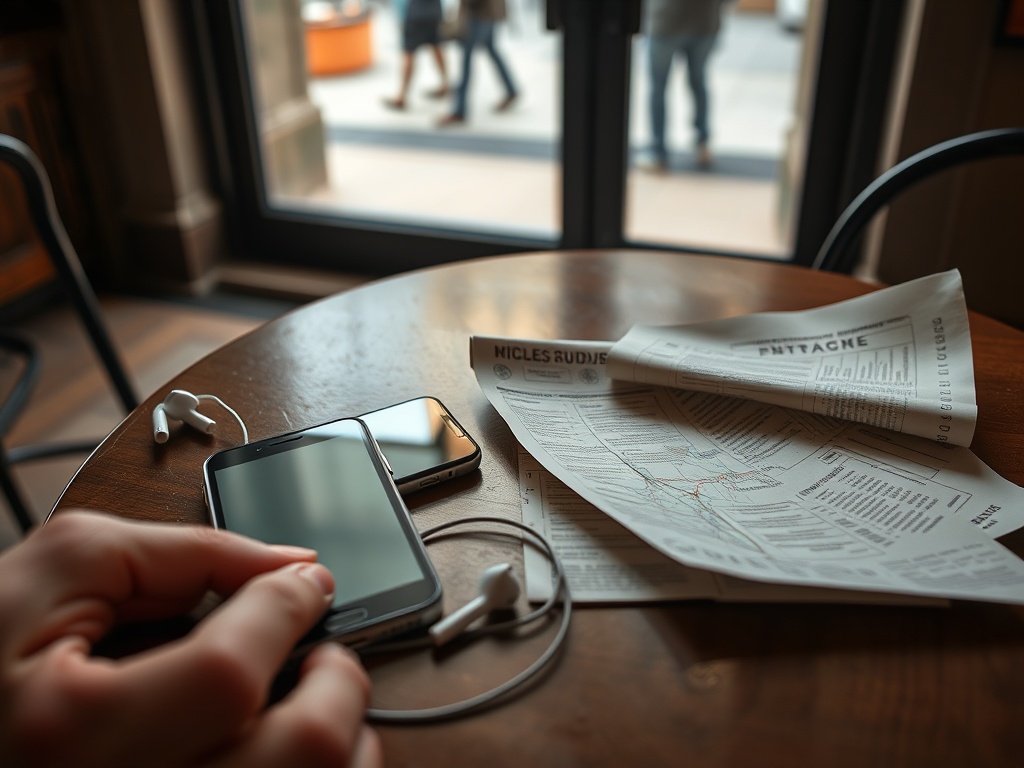
Bring wired earbuds or charged wireless headphones. Download guides in advance when possible. Turn on low-power mode if you will be out all day. Check whether the museum allows photography, flash, tripods, or phone calls in galleries. Save your ticket separately from the guide so a weak connection does not trap both.
Accessibility settings matter too. Increase text size, enable captions, test screen readers, and learn your phone's magnifier before the visit. If you use hearing aids, check whether the museum offers hearing loops, transcripts, or assistive listening devices.
For visitors who also care about documenting the experience, RAW vs JPEG vs HEIF can help decide how to save phone photos without creating file-sharing problems later.
The best choice by visitor type
Choose the museum's official guide if you need accuracy, accessibility details, current exhibition content, or wayfinding. Choose Bloomberg Connects if you visit many cultural spaces and want free expert audio across institutions. Choose Smartify if you want object-level interpretation and art scanning where supported. Choose Google Arts & Culture if you want pre-visit research and post-visit learning.
The best self-guided visit uses technology lightly. Let the app set context, then let the object, room, sound, scale, and silence do the deeper work.